
Yes, most insurers require a professionally fitted Thatcham tracker plus an active monitored subscription before they’ll approve cover discounts or high-value policies on a Discovery. Your immediate move: get your insurer’s exact category requirement, S5 or S7, confirmed in writing before you buy anything. Lrd-track specialises in fitting both categories to Discovery models nationwide.
TL;DR:
- Insurers require a live, monitored Thatcham tracker in the correct category, with documentation proving proper installation and active subscription before granting coverage.
- A professional installation involves wiring the device to permanent power, tamper-resistant housing, and registration with a monitoring centre, with certification proof for insurer validation.
- Most Discovery models need S5 trackers due to driver identification features; fitting S7 instead can void coverage if insurers specifically require S5, especially on high-risk models.
- Confirm insurer category requirements in writing before purchase, and keep all documents—installation certificate, subscription proof, device serial number—in a readily accessible file.
- Ongoing monitoring subscription and correct documentation are critical; poor recordkeeping or lapses in service can lead to claim refusals, regardless of hardware quality.
Table of Contents
- What does discovery tracker installation actually involve?
- Do you need an S5 or S7 tracker for a Discovery?
- What paperwork and monitoring do insurers actually require?
- What happens during your Discovery tracker installation appointment?
- Why LRD Track for Discovery tracker installation
- Fixing common installation issues and keeping your tracker working
- What does discovery tracker installation cost?
- Why the paperwork matters more than the device
- Book your Discovery tracker installation with LRD Track
- Sources
What does discovery tracker installation actually involve?
Professional discovery tracker installation isn’t a five-minute plug-in job. A Thatcham-accredited engineer comes to you, usually at home or work, and fits the device somewhere a thief won’t find it during a quick search of the cabin or engine bay.
The engineer wires the unit to permanent power rather than a switched circuit, so it keeps working even if someone disconnects the battery. A back-up battery inside the tracker itself takes over if mains power is cut, and the housing is built to resist tampering. Once fitted, the device gets registered with a monitoring centre so it’s actively watching your Discovery from day one, not just sitting there dormant.
You’ll also be handed an installation certificate. This isn’t paperwork for the sake of it. Insurers use it as proof that a qualified engineer, not you or a mate with a soldering iron, fitted a genuine Thatcham-certified device correctly. Self-installation, even of a certified product, commonly voids that certification in the eyes of an insurer, because the fitting standard is part of what’s being certified.
Booking to fitting day usually takes a few working days, and the engineer will be on your vehicle for a variable period, depending on whether you’re having an S5 or S7 system installed. The extra time for S5 comes from driver ID programming and immobiliser testing, covered in detail further down.
What the certificate should show:
- Vehicle registration and VIN
- Device serial number and Thatcham category (S5 or S7)
- Engineer’s accreditation reference
- Date of fitting and monitoring centre registration confirmation
Pro Tip: Photograph your installation certificate the day you receive it and store the image alongside your insurance documents. Paper certificates get lost in glove boxes far more often than owners expect.
Do you need an S5 or S7 tracker for a Discovery?
Most Discovery owners need S5, not S7, because insurers increasingly target the driver identification and movement detection that only S5 provides against relay attacks and key cloning. That said, the honest answer is: check your policy wording, because some insurers still accept S7 for older or lower-spec models.
Thatcham’s own product definitions draw a clear line between the two categories:
- S5: driver identification, roaming SIM, bi-directional communication, battery back-up, and proactive detection of unauthorised movement.
- S7: asset location and after-theft tracking, linked to a monitoring centre, but without the driver ID layer S5 offers.
S7 tells you where your Discovery went after it’s gone. S5 tries to stop it leaving in the first place by flagging unauthorised movement the moment it starts and requiring a recognised driver tag before the vehicle will run normally.
Land Rover’s Discovery range sits high on theft-risk lists, largely down to keyless entry systems that relay thieves have learned to exploit. Thatcham’s OE reference list maps specific model years against recommended security levels, and many Discovery variants fall into brackets where S5 is the expected standard rather than a nice-to-have. Fitting S7 when your policy specifies S5 won’t just leave a gap in your security. It can invalidate the very cover you installed the tracker to protect.
Whichever category you need, the monitoring centre behind it should operate to BS 8591, the code of practice governing how alarm receiving centres handle vehicle tracking alerts and police liaison.
What paperwork and monitoring do insurers actually require?
A tracker sitting silently in your Discovery satisfies nobody. Insurers want proof it’s switched on, monitored, and backed by a paper trail that holds up if you ever need to make a claim.
The subscription matters as much as the hardware. An active 24/7 monitored link to a Secure Operating Centre run to BS 8591 standards is what allows a genuine theft alert to trigger police liaison and recovery efforts, rather than just logging a data point nobody’s watching.
Keep these documents together, ideally as a single file you can produce instantly:
- Your insurer’s written confirmation of the required Thatcham category
- The installation certificate from your engineer
- The installer’s invoice showing date, vehicle details, and device fitted
- Subscription confirmation showing the monitoring service is live
- The device’s serial number, matched against the certificate
Skipping any one of these creates a genuine risk. If you can’t produce insurer confirmation, an installation certificate, or proof the subscription was active on the date of a theft, a claim can be challenged or refused outright. Industry guidance on insurance-approved trackers is consistent on this point: insurers respond to documentary proof, not marketing claims about what a device can do.
Get the requirement in writing before you spend a penny, store every document together, and call to verify your subscription is actually live within a day or two of installation. Don’t assume registration happened automatically just because the engineer said it would.
What happens during your Discovery tracker installation appointment?
Expect the engineer to arrive within your booked window, confirm vehicle access, and get straight into locating a concealed fitting point that won’t interfere with existing wiring or airbags. Wiring to permanent power and testing the battery back-up typically comes next, before any software configuration begins.
If you’re having an S5 system fitted, this is where the appointment runs longer. The engineer programmes your driver tags, tests the immobiliser response, and simulates unauthorised movement to confirm the alert actually fires and reaches the monitoring centre. S5 installations commonly take 2 to 3 hours against roughly 1 to 2 hours for S7, purely because of this extra testing layer.
Before the engineer leaves, expect:
- Device registration with the monitoring centre confirmed live
- Your app login credentials set up and tested
- A full verification test, including a simulated alert
- Your installation certificate handed over on the spot
One thing engineers won’t do: tell you exactly where the device is hidden. That’s deliberate. If you don’t know precisely where it sits, neither does anyone who steals your Discovery and has a poke around looking for it.
Why LRD Track for Discovery tracker installation
Lrd-track focuses exclusively on Land Rover models, Discovery included, rather than treating tracker fitting as a generic add-on to a general car security business. That specialisation shows up in two products built specifically for the range: the S7 Discovery Tracker for straightforward asset recovery, and the S5 Discovery Tracker with Driver ID for owners whose insurer requires the higher category common on newer, higher-risk model years.
Every fitting is carried out by a Thatcham-accredited engineer working to the mobile, discreet standard described earlier, backed by nationwide scheduling so you’re not restricted to a single regional fitter. You receive the installation certificate on the day, your monitoring subscription gets activated before the engineer leaves, and support staff can help pull together the insurer paperwork afterwards if your provider asks for extra confirmation.
If you’re unsure which category fits your specific Discovery model year, checking S5 versus S7 requirements against your registration is the fastest way to confirm before you book, rather than guessing and risking a mismatch with your policy.
Fixing common installation issues and keeping your tracker working
Most post-installation problems trace back to one of three things: a weak monitoring signal, a driver tag that wasn’t paired correctly, or a subscription that lapsed without the owner noticing.
If your app shows the device as offline shortly after fitting, check the monitoring centre registration was confirmed before the engineer left. This is the single most common gap, and it’s why the verification test on installation day matters so much. A tracker that’s wired correctly but never registered will sit silent and useless.
Driver ID pairing issues usually show up as the immobiliser refusing to recognise a tag that should work. Re-pairing typically resolves this, but if it happens repeatedly, get the engineer back rather than living with an unreliable system, since an insurer won’t distinguish between “faulty” and “never fixed” if you ever need to claim.
Ongoing maintenance is minimal by design, but a few habits keep things reliable:
- Check your app monthly to confirm the device shows as active
- Renew your monitoring subscription before it lapses, not after
- Re-confirm insurer requirements if you change providers or renew mid-term
- Keep your installation certificate somewhere you can find it in under a minute
Battery back-up faults are rare but worth flagging early if your app ever shows a warning, since a dead back-up defeats the point of tamper resistance.
What does discovery tracker installation cost?
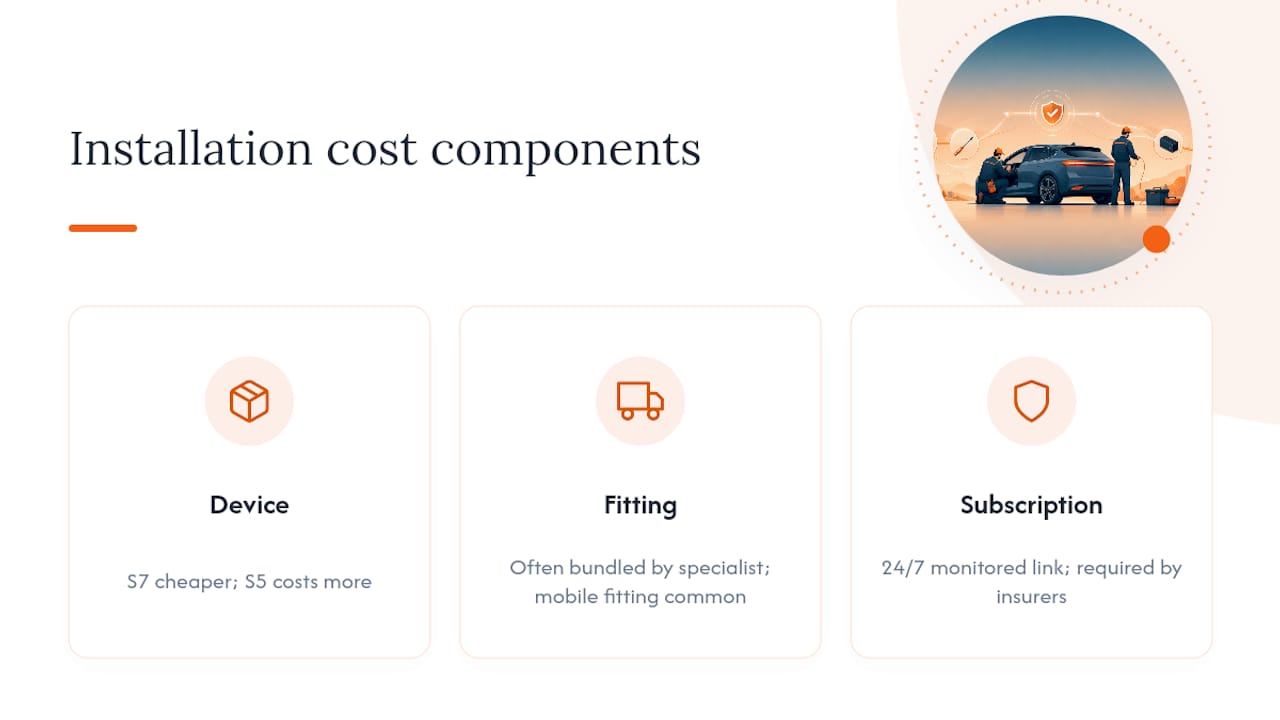
Costs break into three separate elements, and conflating them is where most owners get confused when comparing quotes. The device itself, the fitting fee, and the ongoing subscription are priced separately, even when sold as a single booking.
Device pricing varies by category. S7 units, being simpler, sit at the lower end of the range, while S5 systems with driver identification cost more because of the additional hardware and programming involved. Installation fees are typically bundled into the purchase price when you book through a specialist fitter rather than charged as a separate call-out, though mobile fitting to your home or workplace is standard practice across the industry.
The subscription is where ongoing cost lives. This covers the 24/7 monitored link to the Secure Operating Centre, and it’s non-negotiable if you want the tracker to actually satisfy an insurer, since an unmonitored device with a lapsed subscription offers no real protection and no valid insurer evidence.
Before comparing prices anywhere, confirm exactly what’s included: device, fitting, certificate, and first period of monitoring should all be part of one quoted price rather than four separate line items you discover after booking. A quote that looks cheap but excludes monitoring activation isn’t actually cheaper once you add the subscription back in.
Why the paperwork matters more than the device
Everyone fixates on which tracker to buy. That’s the wrong starting point. The device is almost incidental; what actually protects you is the combination of the right Thatcham category, a live monitoring subscription, and a document trail an insurer can’t dispute.
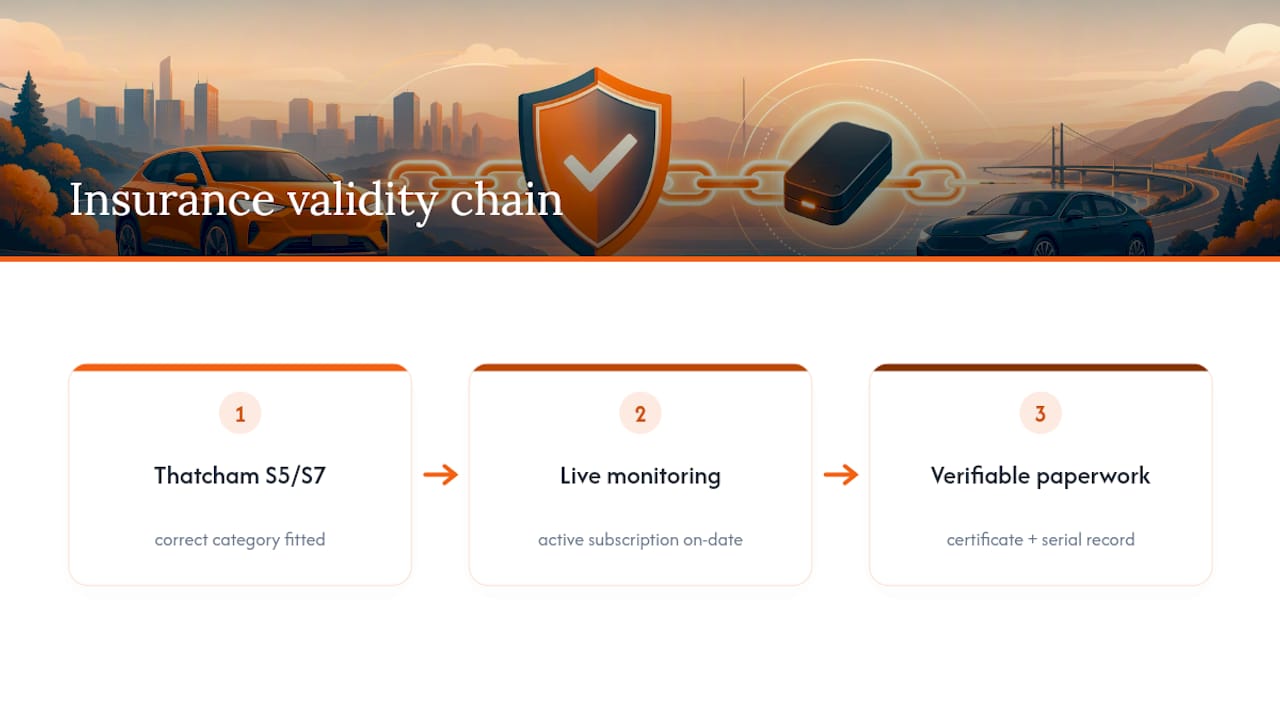
Conventional advice treats installation as a technical decision: pick a good tracker, get it fitted, done. That misses where claims actually fall apart. Insurers don’t reject claims because a device was poor quality. They reject them because the owner can’t prove the right category was fitted correctly, by an accredited engineer, with monitoring active on the date it mattered. That’s an administrative failure dressed up as a hardware problem.
If you take one thing from this guide, make it this: get your insurer’s requirement in writing before you spend anything. Everything else, the certificate, the subscription confirmation, the serial number record, exists to back up that one written requirement when you need it most. Owners who skip that step are gambling on a claim going smoothly. Owners who don’t skip it rarely have anything to argue about.
— Will
Book your Discovery tracker installation with LRD Track
Lrd-track fits both S5 and S7 systems specifically for Land Rover Discoveries, so you’re not stuck adapting a generic tracker to a vehicle it wasn’t designed for. Booking includes the device, professional fitting by a Thatcham-accredited engineer, your installation certificate, and activation of your monitoring subscription, all as one appointment rather than four separate arrangements to chase.
Before you call, have these ready so the booking takes minutes rather than back-and-forth emails:
- Your insurer’s category requirement in writing (S5 or S7)
- Vehicle registration and VIN
- Preferred installation location, home or workplace
- A contact number for the day of fitting
Scheduling typically takes 1 to 3 working days from booking, and the engineer will be with your vehicle for 1 to 3 hours depending on which category you need. Start your booking through nationwide tracker installation for Land Rover owners and get a fitting date confirmed against your postcode straight away.
Sources
- Guide to insurance‑approved vehicle trackers | MyVehicle
- Vehicle security product definitions and guidelines (Thatcham Research)