
Cancel your vehicle tracker subscription by going straight to the billing source shown on your bank or card statement: the account portal, the Apple or Google subscription page, or PayPal. Send a written cancellation notice to the provider at the same time. Save every confirmation email, screenshot, and registered post receipt. Under the Consumer Contracts Regulations 2013, you have 14 days to cancel without giving a reason, and the company must refund you within 14 days of receiving that notice.
- ✅ Account portal or app: Log in, go to Billing or Subscriptions, and click “Cancel plan.”
- ✅ App store: If billed by Apple or Google, cancel in iPhone Settings → Apple ID → Subscriptions, or Google Play → Subscriptions.
- ✅ Written notice: Email the provider with your account reference, contract date, and a refund request. Send by registered post if you expect resistance.
Save: confirmation email, screenshot of the cancellation screen, and your registered post receipt.
Pro Tip: Check your bank statement before you do anything else. The billing description tells you exactly where to cancel. “APPLE.COM/BILL” means cancel in Apple Subscriptions; a company name means log into the supplier’s website directly.
Key takeaways
Cancelling a tracker subscription successfully comes down to one thing: acting at the billing source, not just inside the app, and keeping written proof of every step.
| Point | Details |
|---|---|
| Verify the billing source first | Check your bank statement to confirm whether Apple, Google, PayPal, or the supplier billed you directly. |
| Cancel at the correct platform | Cancel in Apple Subscriptions, Google Play, PayPal, or the supplier portal — not just by uninstalling the app. |
| Send written notice | Email a cancellation referencing the Consumer Contracts Regulations 2013 and keep a copy with a timestamp. |
| Know the legal deadlines | The 14-day cooling-off right starts the day after contract; the provider must refund within 14 days of your notice. |
| Lrd-track support | Lrd-track customers can manage, pause, or cancel subscriptions directly via the product finder or support team. |
Table of Contents
- How to cancel a tracker subscription: step-by-step by platform
- Ready-to-send cancellation notice templates
- What are your legal rights when you cancel a UK subscription?
- When a third party billed you: Apple, Google, Stripe, or PayPal
- What to do if the company refuses or ignores your cancellation
- What normally happens after you cancel
- How Lrd-track approaches cancellations and customer support
- Lrd-track direct support for your tracker subscription
- Sources
How to cancel a tracker subscription: step-by-step by platform
The most common reason people keep getting charged is cancelling inside the app while the actual billing platform keeps pulling money. Always cancel at the source.
Via the account portal or website
Log into the tracker provider’s website. Go to Account, Billing, or Subscriptions. Look for a “Cancel plan” or “End subscription” button. Some providers using Stripe will redirect you to a billing portal page where you click “Cancel plan” to confirm. Take a screenshot of the confirmation page before you close the browser.
Via Apple (iPhone/iPad)
Go to Settings → [Your Name] → Subscriptions. Find the tracker subscription, tap it, and tap “Cancel Subscription.” Apple will confirm by email. Your access continues until the end of the paid period.
Via Google Play (Android)
Open the Google Play app → Profile icon → Payments & subscriptions → Subscriptions. Select the tracker subscription and tap “Cancel subscription.” Again, access runs to the end of the billing cycle.
Via PayPal
Log into PayPal, go to Settings → Payments → Manage automatic payments, find the tracker company, and click “Cancel.” This stops future payments immediately.
Via direct debit or continuous payment authority (CPA)
Contact your bank directly and instruct them to cancel the direct debit or CPA. You can do this by phone, in-branch, or via your banking app. Your bank is legally obliged to act on that instruction.
One rule that catches people out: uninstalling the app does not cancel the subscription. The billing platform keeps charging regardless of whether the software is on your device.
Free trials usually convert automatically at the end of the trial period. Cancel before the trial ends to avoid the first charge; if you miss it, the 14-day cooling-off right may still apply to that first payment.
Ready-to-send cancellation notice templates
A written notice creates the paper trail a bank or ombudsman will accept. Use these templates and adapt them to your situation.
Email template
Subject: Cancellation of subscription — Account Ref [XXXXX]
Dear [Company Name],
I am writing to cancel my subscription with immediate effect under the Consumer Contracts Regulations 2013 (Regulation 5).
Name: [Your full name] Account / order reference: [XXXXX] Contract start date: [DD/MM/YYYY] Payment method: [Credit/debit card / PayPal / direct debit]
Please confirm cancellation in writing and process a full refund to my original payment method within 14 days of receiving this notice, as required by law.
Yours sincerely, [Your name]
Postal letter template
Use the same wording above. Send by Royal Mail Tracked 24 or Signed For and keep the proof of postage slip. Note the date sent, the address used, and the tracking reference in a separate document.
Checklist — include all of these:
- ✅ Full name and account or order reference
- ✅ Contract or purchase date
- ✅ Payment method and last four digits of card (if relevant)
- ✅ Explicit refund request and destination account
- ✅ Reference to Consumer Contracts Regulations 2013
Pro Tip: Send by email first for speed, then follow up with a signed-for postal letter if the company is unresponsive. Two channels, two timestamps. That combination is very difficult for a provider to dispute.
What are your legal rights when you cancel a UK subscription?
The Consumer Contracts Regulations 2013 give you a 14-day cooling-off right for any distance contract, including online tracker subscriptions. You do not need to give a reason. The clock starts the day after you enter the contract, not the day you receive hardware.
If the provider failed to give you clear information about your cancellation rights at the point of sale, that 14-day window can extend. In practice, this means you may have grounds to cancel and claim a refund well beyond the standard fortnight.
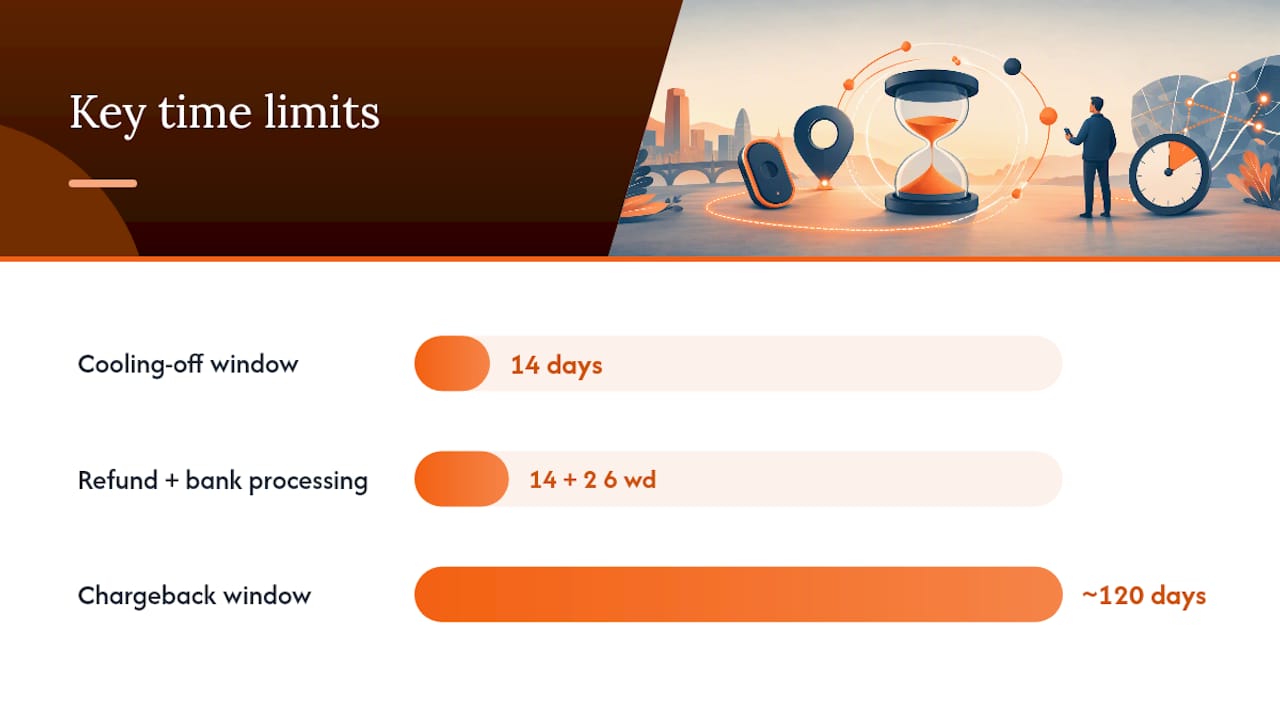
Once you send a valid cancellation notice, the company must refund you within 14 days. Bank processing typically adds two to five working days on top of that. If you paid by credit card and the charge is over £100, Section 75 of the Consumer Credit Act 1974 makes the card issuer jointly liable. For amounts under £100, or debit card payments, a chargeback request to your bank is the equivalent route. Chargeback windows vary by card scheme but are typically 120 days from the transaction date.
| Right | Deadline | What it means |
|---|---|---|
| 14-day cooling-off | Day after contract date | Cancel without reason; full refund required |
| Refund after cancellation | 14 days from provider receiving notice | Company must repay; bank adds 2–5 working days |
| Section 75 claim | No fixed statutory limit, but act promptly | Card issuer jointly liable for credit card charges over £100 |
| Chargeback | Typically 120 days from transaction | Debit or credit card; bank reverses the charge |
💡 Key figure: Under the Consumer Contracts Regulations 2013, the provider has exactly 14 days from receiving your cancellation to process the refund. If that deadline passes without payment, you have grounds to escalate immediately.
When a third party billed you: Apple, Google, Stripe, or PayPal
Your bank statement is the fastest way to identify the billing channel. “APPLE.COM/BILL” or “GOOGLE*” in the description means the app store collected the money, not the tracker company. A company name or “STRIPE” points to a direct or processor-mediated charge.
This matters because cancelling in the wrong place is the single most common cause of continued charges after a cancellation attempt.
- Apple: Cancel in Settings → Apple ID → Subscriptions. Access continues to the end of the paid period. Refund requests go through Apple, not the tracker provider.
- Google Play: Cancel in Google Play → Payments & subscriptions → Subscriptions. Same access-until-period-end behaviour applies.
- Stripe: Cancel via the supplier’s billing portal (usually a link in your account dashboard). Look for “Manage billing” or “Cancel plan.”
- PayPal: Revoke automatic payments in PayPal Settings → Payments → Manage automatic payments.
- Direct debit or CPA: Instruct your bank to cancel. This is your legal right under the Payment Services Regulations 2017. The bank cannot refuse.
Pro Tip: Cancelling a CPA with your bank stops future payments even if the provider ignores your cancellation request. Always ask the bank for written confirmation that the instruction has been actioned.
What to do if the company refuses or ignores your cancellation
Start by gathering evidence: your original cancellation email, any postal proof of sending, screenshots of the account portal, and a record of every charge taken after your cancellation date. Making cancellation intentionally difficult is unlawful, and regulators take a dim view of it.
Step 1: Formal complaint to the supplier. Send a written complaint by email, referencing your cancellation date, the charges taken since, and the 14-day refund obligation under the Consumer Contracts Regulations 2013. Give them 14 days to respond.
Step 2: Chargeback or Section 75. If the supplier does not respond or refuses, contact your bank or card issuer. Provide the cancellation evidence. The bank will raise a dispute with the card scheme. For credit card charges over £100, Section 75 gives you a stronger statutory claim.
Step 3: Regulatory routes.
- Trading Standards: Report via the Citizens Advice consumer helpline (0808 223 1133). They pass cases to Trading Standards.
- Competition and Markets Authority (CMA): The CMA has published guidance on subscription traps and accepts reports of businesses that make cancellation deliberately difficult.
- Financial Ombudsman Service (FOS): If your dispute involves a payment or a financial product and the company has not resolved it within eight weeks, you can refer the case to the FOS free of charge.
Document everything with dates. A clear timeline of events is what makes a chargeback or ombudsman case straightforward to resolve.
What normally happens after you cancel
Most providers send an email confirmation within minutes. Access to premium features typically continues until the end of the current billing period, then stops. Some providers cut access immediately on cancellation — check the terms before you cancel if continuity matters to you.
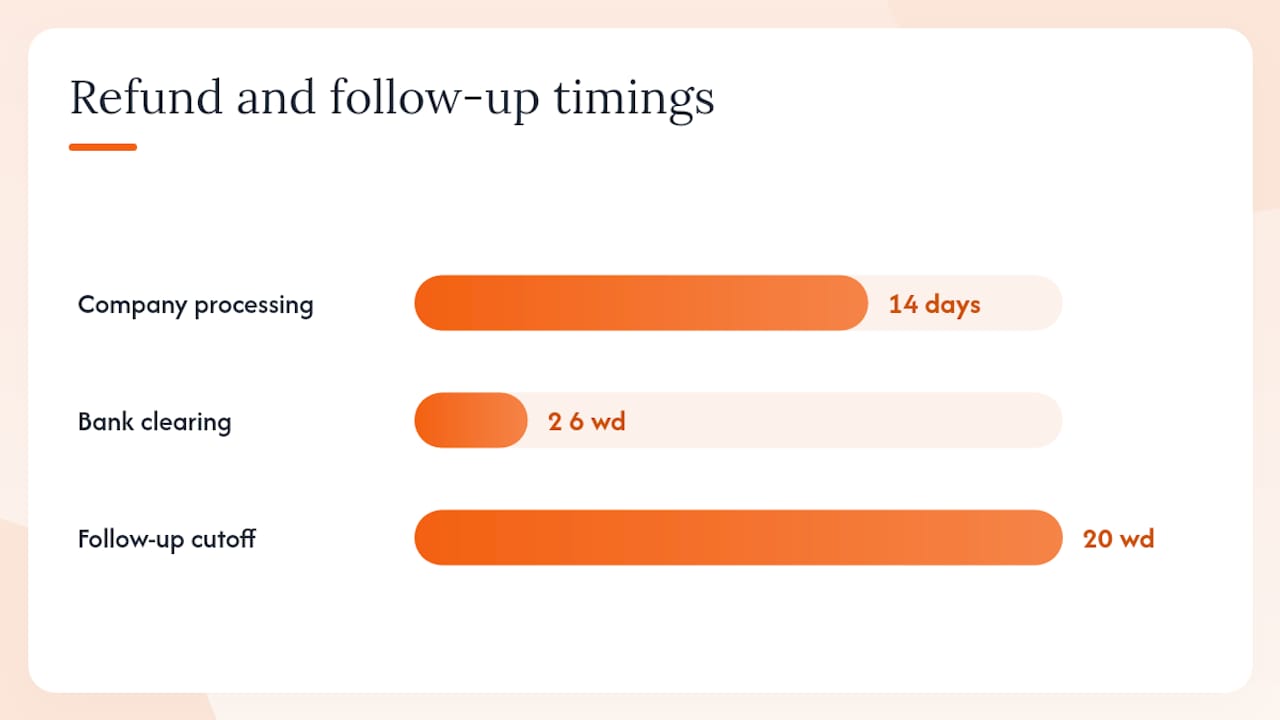
Refund timeline: The company has 14 days from receiving your notice to process the refund. Your bank then takes two to five working days to clear it. If nothing has arrived after 20 working days, send a follow-up email referencing the legal deadline and state that you will raise a chargeback if payment is not received within five days.
After cancellation:
- ✅ Request written confirmation that the account is closed
- ✅ Uninstall the app and revoke any location or notification permissions
- ✅ Submit a data deletion request under UK GDPR if you want the provider to erase your personal data (they must respond within one month)
- ✅ Check your next bank statement to confirm no further charges appear
Business customers on multi-year fleet contracts should read the contract minimum terms carefully before cancelling. Early termination fees can apply. Check the specific product page for your device, such as the S7 Classic Defender Tracker, for the contract terms relevant to your subscription bundle before taking action.
How Lrd-track approaches cancellations and customer support
At Lrd-track, we believe cancellation should be straightforward. If you are an Lrd-track customer and need to stop, pause, or transfer your tracker subscription, our support team is available to walk you through the process directly. You will not be passed between departments or asked to navigate a maze of automated responses.
Your first step is to locate your order reference, which appears on your original confirmation email and on your product account page. From there, our team can confirm your billing arrangement, process a cancellation request, and advise on refund eligibility based on your contract date.
Lrd-track trackers, including the S5 range, come with monitoring subscriptions bundled into the package. If your circumstances have changed and you need to reassess your cover, speak to us before cancelling outright. There may be options to pause, transfer, or switch your plan that better protect your Land Rover without losing the security layer entirely.
Lrd-track direct support for your tracker subscription
Thinking about cancelling because your needs have changed? Before you stop your cover entirely, it is worth knowing what Lrd-track can do for you directly.
Lrd-track customers get access to a dedicated support team that handles account queries, subscription changes, and hardware questions for Land Rover-specific GPS trackers. No generic helpdesk. No waiting weeks for a reply. If you need to cancel, we process it clearly and confirm it in writing. If you want to switch devices, transfer a subscription, or check whether your current plan still matches your insurance requirements, the product finder is the fastest place to start.
Your Land Rover is a target. Keeping your tracking active, even at a reduced tier, is worth considering before you cancel outright. Contact Lrd-track support via the homepage or use the product finder to locate your device and raise a support request today.
Sources
The legal and procedural guidance in this article draws on UK consumer advice resources and official regulatory frameworks. The sources below cover the Consumer Contracts Regulations 2013, platform-specific cancellation paths, and escalation options.
- Subscription Traps UK: How to Cancel and Get Your Money Back
- Cancel UK Subscription Legally: 14-Day Rule 2026 | Fightingback
- How to Cancel a Tracker Subscription on Any Device - LegalClarity
This article is general information, not a substitute for advice from a qualified lawyer. Consult a qualified legal professional about your own circumstances before acting on anything here.